If the air pump is wired to your GRBL controller’s air-assist output, Lùmen switches it on at the start of the job and off at the end. The feature starts off: a machine without that output would refuse the command in the middle of a job.
1Turn it on
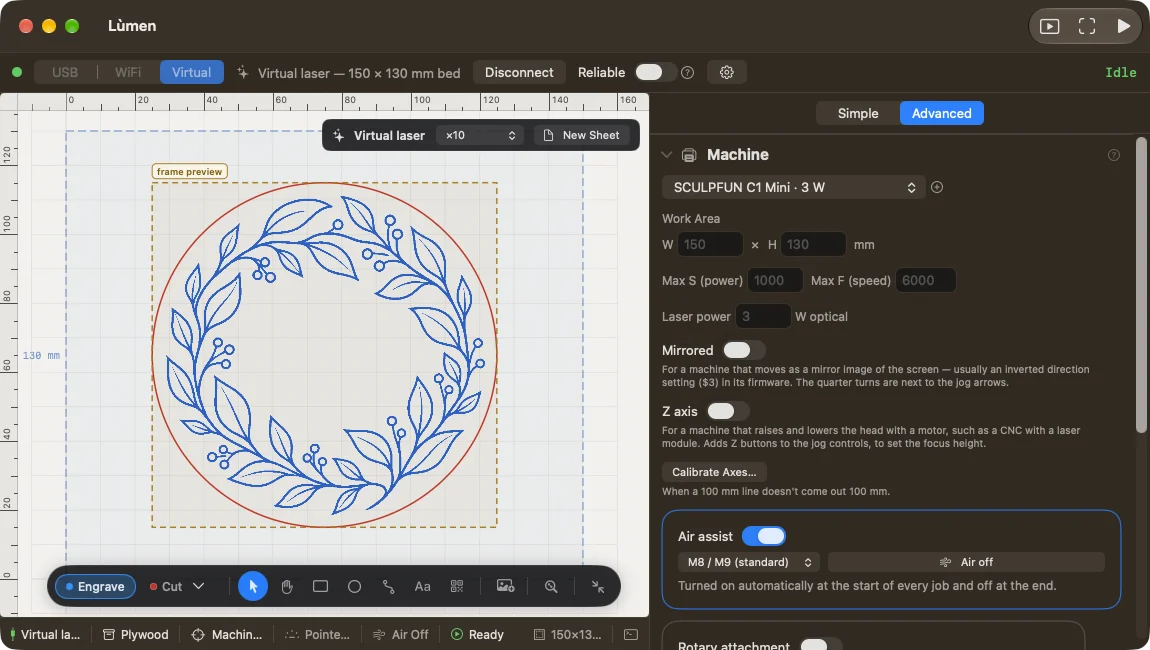
In Machine & material (in Advanced, the Machine section) turn on Air assist, only if the pump is wired to the controller. Next to it, choose the command: M8 suits almost every GRBL board; M7 only if the firmware was built for that output. If in doubt, check the board’s documentation.
2Test it
With the machine connected and idle, press the pump button next to the switch: the pump should start. Press it again to stop it. It is also how you check that the controller accepts the command, before a cut. During a job the button isn’t available.
If the controller answers with an error, turn Air assist off and check the wiring and the command you chose. The controller’s exact answer is in the console.
During the job
With air assist on, Lùmen switches the pump on before the first move and off at the end. The same happens in G-code exported to run without the Mac. If you resume a job after Stop, Lùmen switches the pump back on before carrying on.
A pump with its own switch. If the pump isn’t wired to the controller but has a switch of its own, turn it on by hand: Lùmen can’t control it, and turning on Air assist would only send a command the machine can’t carry out.