Lùmen keeps a list of the jobs run on each machine, with the estimate they started from and the time they really took. After a few jobs, it uses those times to tell you how long the next one will take on your machine.
Opening the history
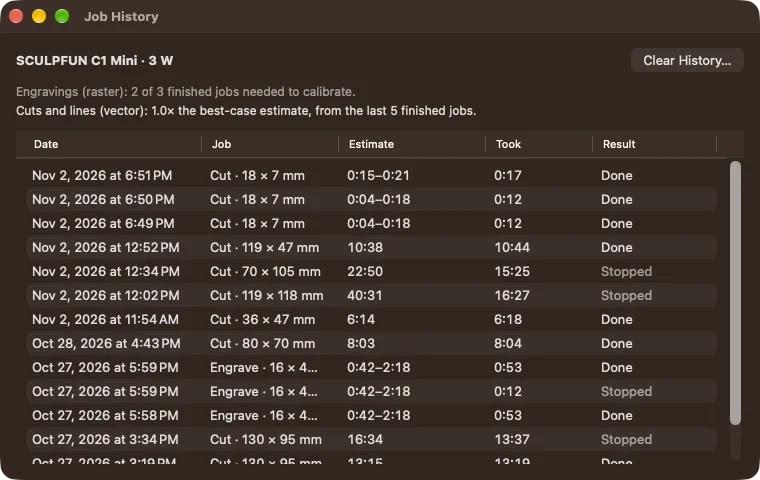
Choose Machine ▸ Job History. If you have used several machines, choose the one you want from the Machine menu at the top. For each job the table shows the Date, the Job (engraving or cut, size, Reliable mode), the Estimate, how long it Took, pauses left out, and the Result: done, stopped, or done with refused lines.
How the estimate gets better
An estimate, above all for an image, depends on how well the machine and the link keep up: two machines with the same numbers can take very different times. So Lùmen compares the real duration with the estimate, machine by machine, keeping engravings and cuts apart.
From the third finished job of the same kind, the summary at the top of the window says how far your machine is from the estimate, and the preview also shows On this machine: the corrected time. It is a reference built on your own jobs, not a promise.
Jobs that were stopped, resumed, had refused lines or ran under 30 seconds don’t count towards the estimate: they say little about how the machine really works. Runs on the virtual laser aren’t even listed.
Starting over
Clear History… removes, after you confirm, the jobs of the machine shown. Until a few more jobs have finished, the estimate goes back to the general one. Use it, for example, after changing the controller or the laser module.