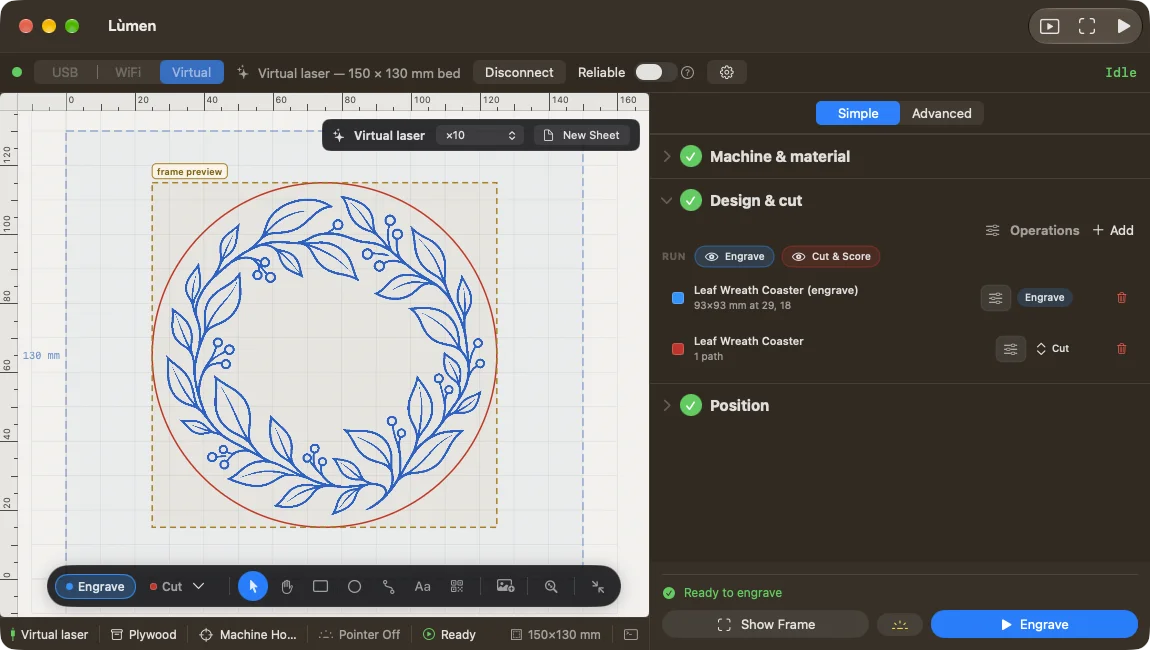
When the project is ready, the job’s controls are at the bottom of the side panel. Before starting on a real laser, check the origin and Show Frame, the material and the operations again.
1Start
Press the start button (Engrave). A five-second countdown begins: if you notice something, press Cancel. If the machine is still finishing a move, the panel says Waiting for the machine... and starts once it is still.
If the button is grey, the line above it says why: the connection, the material, an object or, with Custom Origin, the starting point is missing. A cut off the bed is flagged before the countdown.
2Follow the job
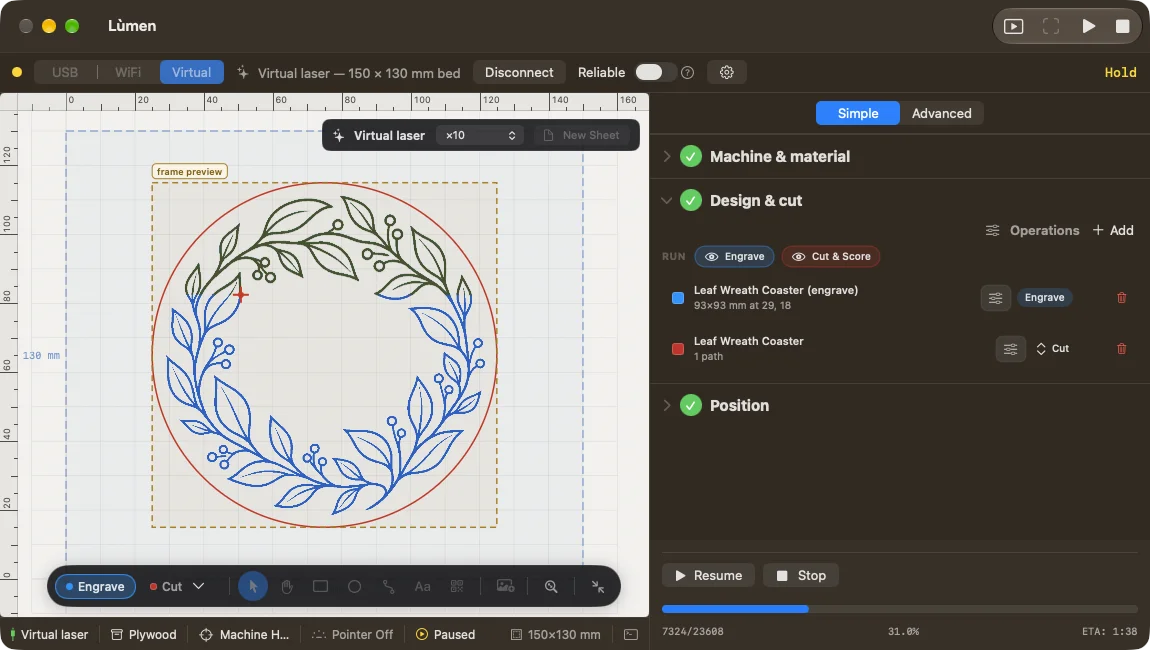
While the job runs, the panel shows the progress bar, the lines done and the time left; for an image with several passes, which pass it is on as well. On the canvas the green follows the head.
In Advanced, the Overrides section changes speed and power while the job runs, without stopping it and without touching the project. Use it to correct a mark that is too light or too dark on the fly.
While the job runs, Lùmen sends the machine only the job: jog, homing, origin and console wait until it ends. The Mac doesn’t go to sleep until the job is finished.
3Pause and Stop
- Pause (⌘P) stops the head and keeps the job where it is. Resume (⇧⌘R) carries it on.
- Stop (or Esc) ends the job. Lùmen first stops the head, then resets the controller once it is still: that way the machine doesn’t lose its position.
4Resuming after Stop
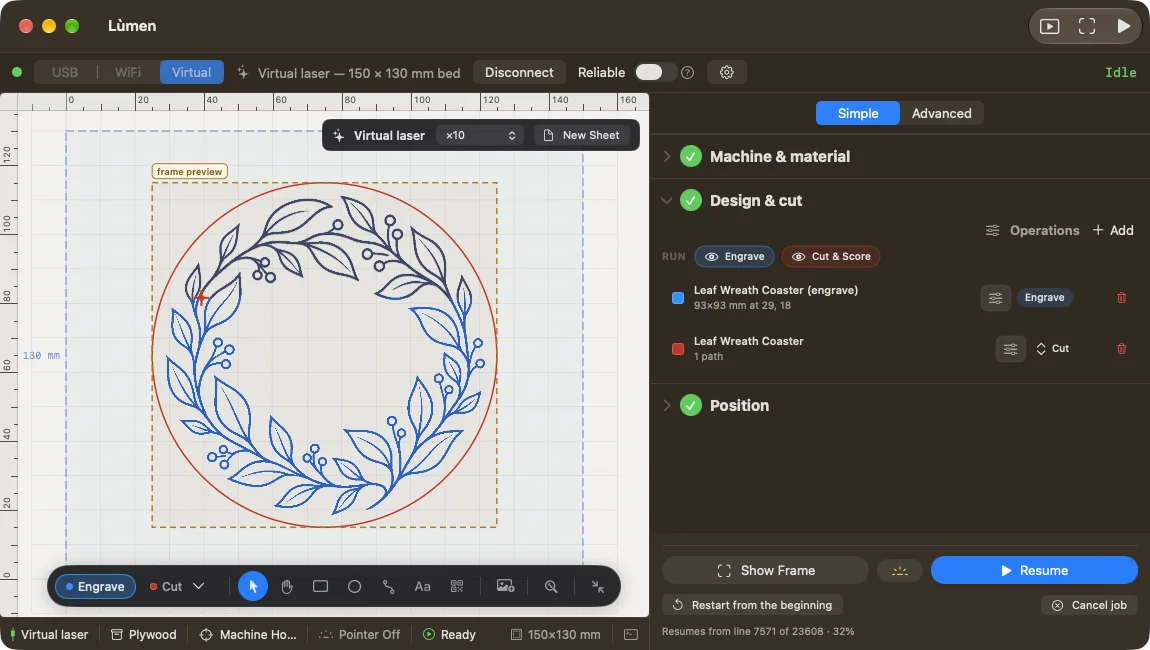
After Stop the panel offers three choices:
- Resume starts again from the beginning of the line it was engraving, after a new countdown;
- Restart from the beginning runs the whole job again;
- Cancel job throws the resume point away.
Resuming works in the same session, as long as you don’t change the project: move an object, change an operation or the passes to run, and the resume point goes, because it would no longer match the piece.
At the end
When the job ends, Lùmen lets you know with a notification, if you allowed it to. If the machine refused any lines, the panel says so with the first error: it’s worth looking at the piece carefully. Every job on a real machine goes into the job history.
If the job stalls. If Job stalled — no response from device appears, the controller has stopped acknowledging lines: it doesn’t mean the job is done. Check the cable and the connection, then press Stop and resume. If it happens often, read Connection, alarms and console.